
R2Client is one of the few dedicated desktop apps for managing Cloudflare R2 buckets. It's cross-platform, supports large files, and pitches itself as "use Cloudflare R2 like a local drive." I found it while searching for R2 tools before I built R2Drop.
They solve similar problems, but the approach and cost model are different. Here's the breakdown.
The price difference
This is the big one. R2Drop is free. No trial period, no feature gates, no paid tier. MIT licensed, source on GitHub. You get everything.
R2Client gives you a 3-day free trial, then you buy a license. It's a one-time purchase (not a subscription, which is nice), but you're still paying for a tool that uploads files to your own storage. If the trial runs out on a Friday and you need to upload something over the weekend, you're either paying or switching tools.
Native vs Electron
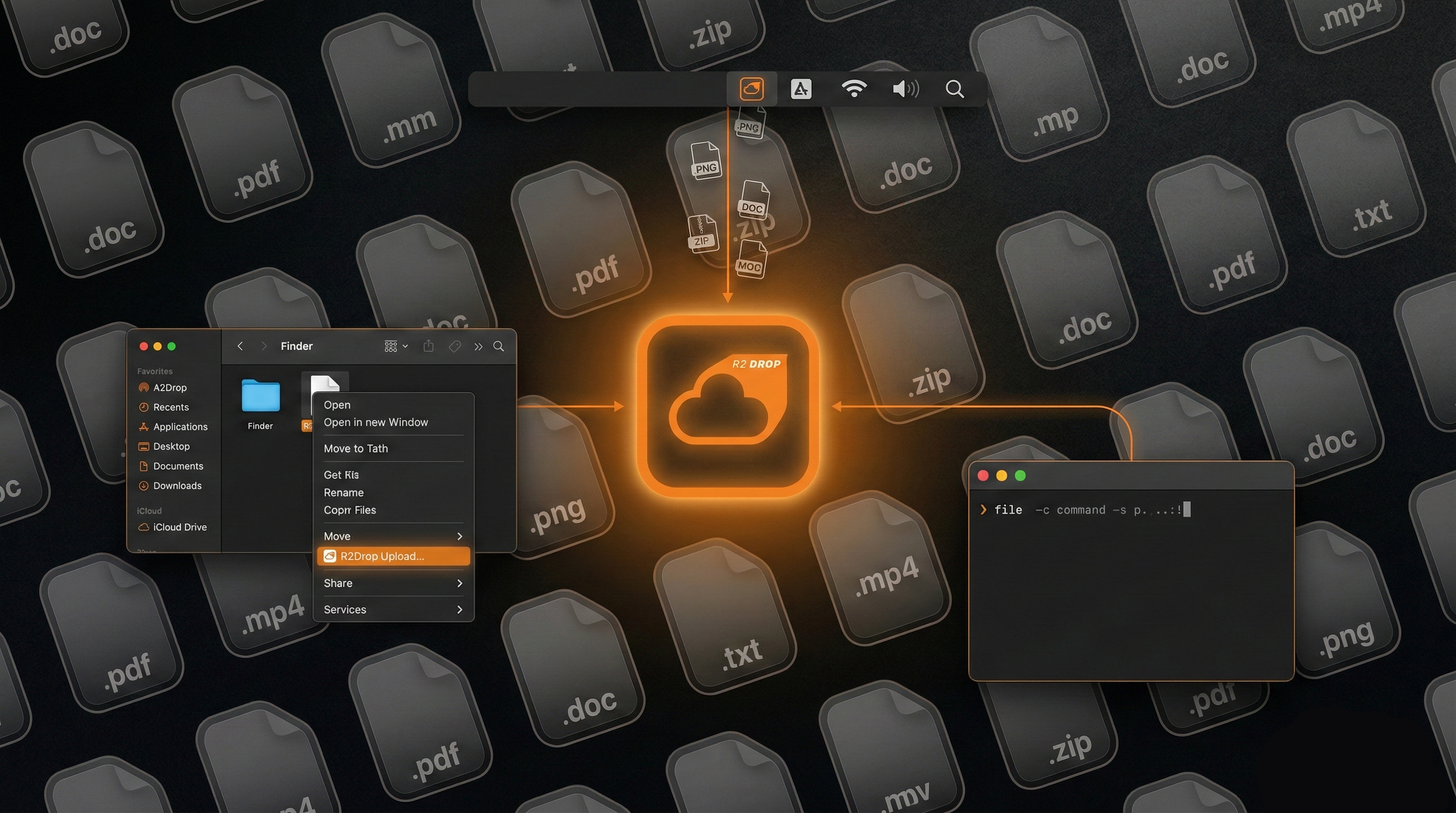
R2Drop is a native macOS app. Swift and SwiftUI for the interface, Rust for the upload engine. It runs as a menu bar icon, uses about 30-50 MB of RAM, and integrates with Finder and macOS Keychain.
R2Client is built with Electron. That means it ships a bundled Chromium browser, which puts memory usage in the 200-400 MB range. The upside is cross-platform support: R2Client runs on macOS, Windows, and Linux from the same codebase.
If you're on Windows or Linux, R2Client is one of your options. On macOS, R2Drop is lighter and more integrated with the OS.
The Gatekeeper problem
R2Client's macOS build isn't code-signed. When you download and try to open it, macOS Gatekeeper will block it. You have to right-click, choose Open, and confirm the security dialog. Depending on your macOS version, you might need to go into System Settings > Privacy & Security to allow it.
This isn't a dealbreaker, but it's friction. R2Drop is properly signed and notarized, so it just opens.
Side-by-side
| Feature | R2Drop | R2Client |
|---|---|---|
| Price | Free (MIT) | Paid (one-time, 3-day trial) |
| Platform | macOS | macOS, Windows, Linux |
| Framework | Native Swift/SwiftUI + Rust | Electron |
| Code-signed (macOS) | Yes | No |
| Memory usage | ~30-50 MB | ~200-400 MB |
| Finder right-click | Yes ("Send to R2") | No |
| Menu bar app | Yes | No (standard window) |
| CLI companion | Yes | No |
| Auto-copy URL | Yes | No |
| Credential storage | macOS Keychain | App config file |
| Large file support | Multipart, parallel streams | Up to 50 GB |
| Local encryption | No | Yes |
| Bucket browsing | No | Yes |
| Open source | Yes (MIT) | No |
Where R2Client wins
Cross-platform. If your team uses Windows, Linux, and Mac, R2Client gives everyone the same tool. R2Drop only runs on macOS.
Bucket browsing. R2Client lets you view, navigate, and manage files in your R2 buckets. R2Drop is an uploader, not a file manager.
Local encryption. R2Client can encrypt files before uploading. R2Drop doesn't do client-side encryption.
Where R2Drop wins
It's free. That's worth repeating. No trial, no license key, no expiration. I built R2Drop because I needed it, and charging money for an upload tool felt wrong when the storage itself already costs money.
Finder integration. Right-click a file, "Send to R2." The URL goes to your clipboard. No app windows, no dragging files around. This is the workflow I use dozens of times a day.
The CLI. r2drop upload ./assets/ --json works in shell scripts, Makefiles, and CI pipelines. It shares config with the GUI app, so there's no separate setup. R2Client doesn't have a CLI.
It's open source. You can read the code, modify it, audit it. If R2Drop ever disappeared, you could fork it and keep going. With R2Client, if the developer stops maintaining it, your license still works but you can't fix bugs yourself.
Bottom line
If you need cross-platform support or bucket browsing, R2Client does that and R2Drop doesn't.
If you're on macOS and want a free, native, open-source tool that integrates with Finder and the terminal, R2Drop is the better fit. You'll never hit a trial expiration or need to bypass Gatekeeper.