By Paul Pierre
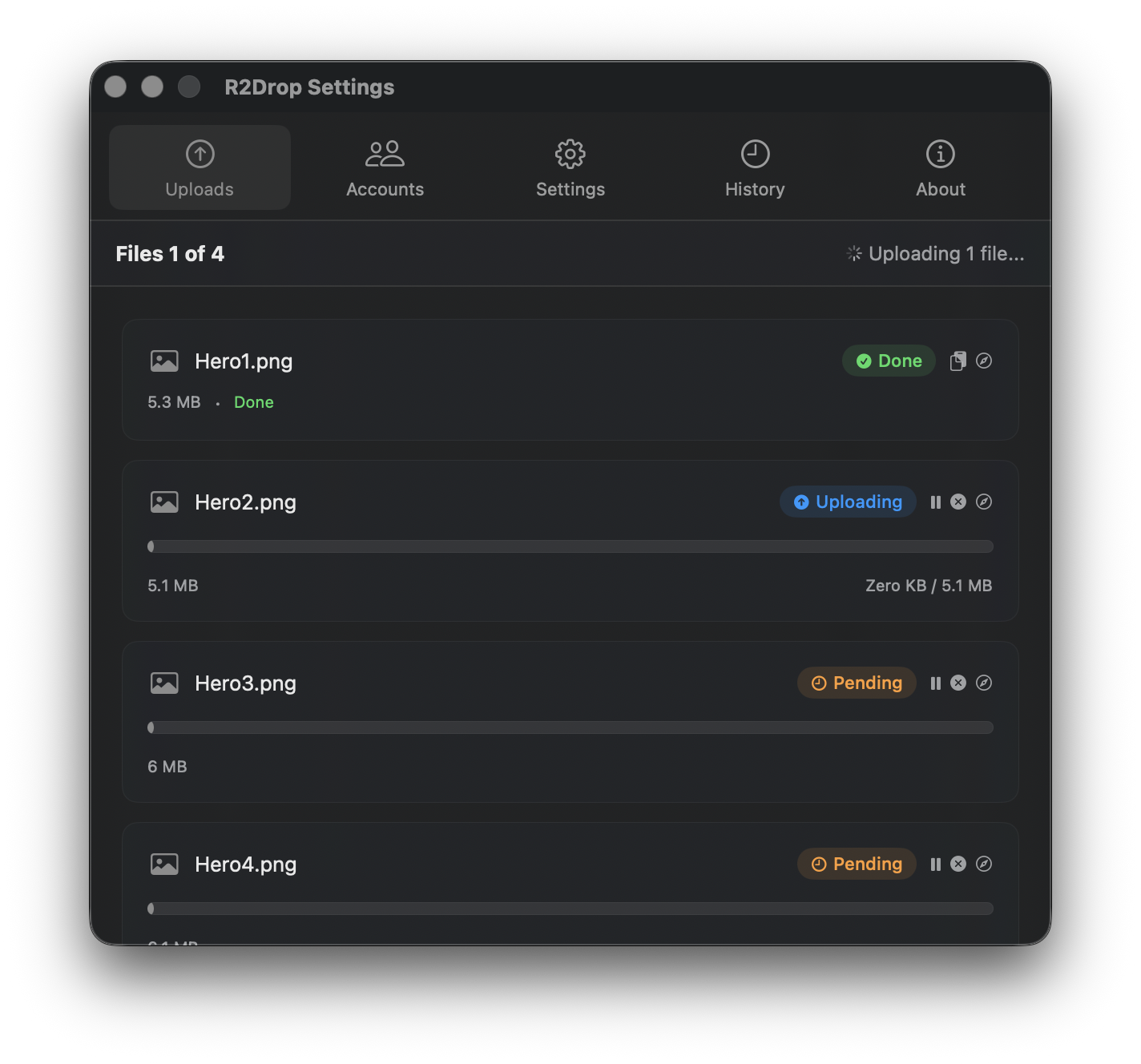
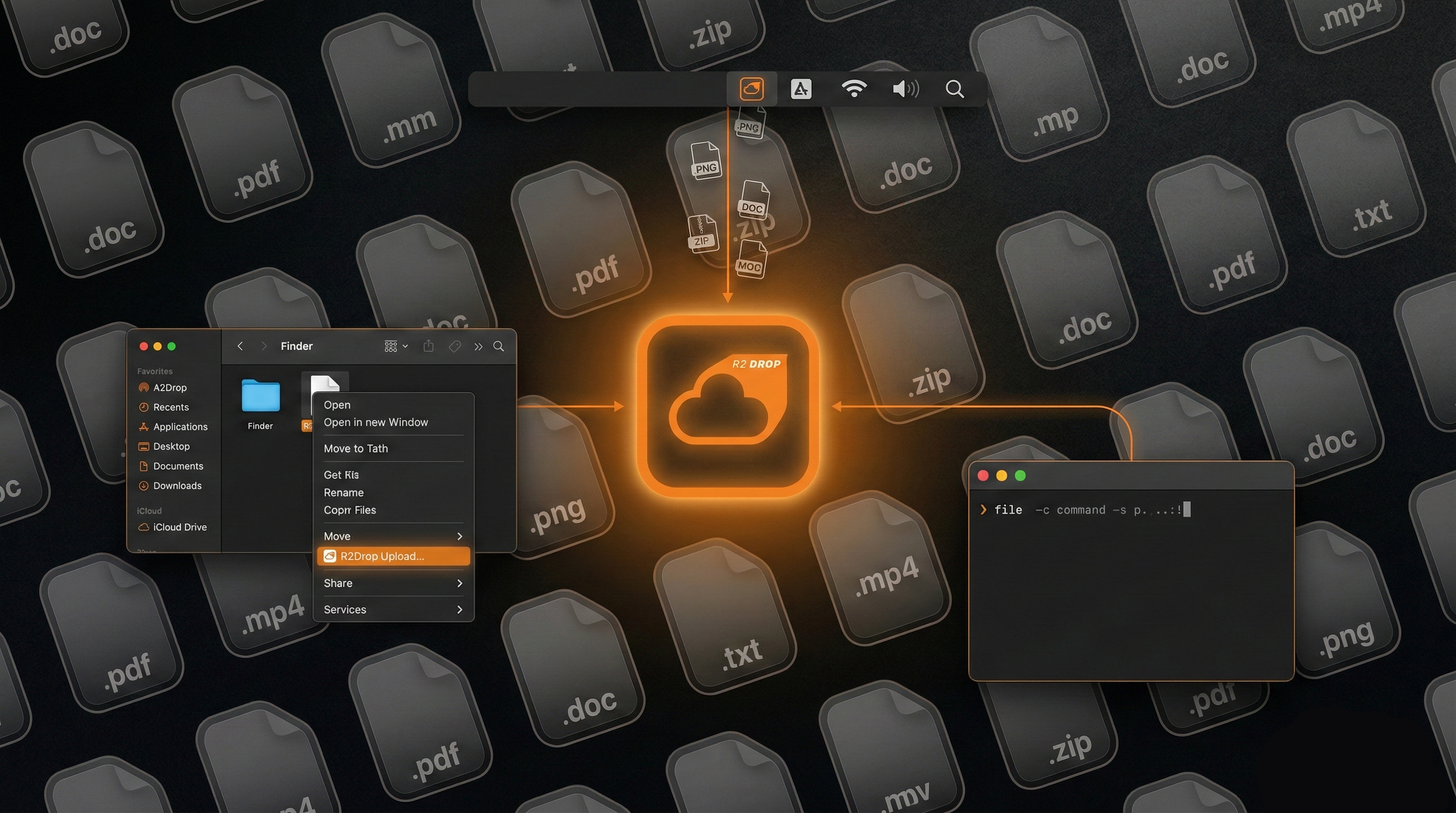
I shipped R2Drop — a native macOS menu bar app, a Finder extension, a Rust upload engine, a standalone CLI, a Homebrew tap, a marketing website, CI/CD with auto-updates, and Apple code signing — in two afternoons. Friday evening and Saturday morning, on a road trip to a lake. I didn't write a single line of code. Here's what actually happened.
The Backstory
At my day job I was leading a large engineering team into taking a radical approach to a massive codebase refactor. One of the tools we were evaluating was Ralph-TUI, an AI task orchestration framework that keeps coding agents in a loop until the work is done. Before recommending it to the team, I needed to dogfood it myself — with enough variance to really stress-test the approach. A native macOS app touching Swift, Rust, FFI, Apple code signing, and CI/CD seemed like sufficient variance.
I also had a genuine itch. I use Cloudflare R2 constantly — screenshots, docs, build artifacts, static assets. Every upload meant opening the dashboard, clicking through three screens, dragging in a file, waiting, copying the URL. S3 has dozens of macOS tools. R2 had... rclone, if you don't mind hand-editing config files. The tooling gap was absurd.
So on a Friday evening in February 2026, I sat down and started designing.
The Hardest 3 Hours: Architecture and Specs
Here's the part nobody wants to hear: the most important work was the 3 hours I spent before any agent touched a line of code. No scaffolding. No prompting. Just thinking through the architecture, the core user flows, and every edge case I could anticipate.
I wanted something native — a real macOS menu bar app, not an Electron wrapper. That meant Swift and SwiftUI for the UI. But I also wanted a fast, reliable upload engine that could handle multipart uploads, parallel transfers, and resumable sessions. Rust's async ecosystem (tokio + aws-sdk-s3) was the right call. The architecture: Swift/SwiftUI for the UI, Rust for the upload engine, FFI to bridge them.
Two languages, an FFI boundary, two build systems, Apple code signing, notarization, Sparkle updates. Under normal circumstances, this would be a multi-week project. But the key insight was that none of this complexity matters if you codify it properly upfront.
What I actually spent those 3 hours on:
- Core user flows as user stories — every way a user could trigger an upload (Finder right-click, menu bar drag, Dock drop, CLI, deep link, file picker), written out step by step so I could mentally traverse every edge case
- Functional requirements — converting the user stories into technical specs so the agents could traverse the technical edge cases (what happens when the network drops mid-chunk? when credentials expire? when two uploads target the same key?)
- Technology choices for maximum flexibility — Swift and Rust aren't the easy path, but they're the right one. I've built apps for the last decade, and recent work with Go and TypeScript made Rust feel natural. Picking technologies you understand deeply is how you move fast.
How I Used AI: I Didn't Write Code
Let me be clear: I didn't write code. Not a line. What I did was invest heavily in setting up the harness and nailing the specifications.
The orchestration stack was Ralph-TUI with Beads for issue tracking. Opus 4.6 (Claude) was the workhorse — it did all the implementation. But here's the thing that made it work: I had ChatGPT 5.3 Codex interrogate every output. Claude Code rushes. It generates fast, confident, and sometimes wrong. Codex is pedantic in review — annoyingly thorough — but it catches the mistakes Claude misses. The two models complement each other perfectly.
The entire workflow was test-driven development, which is where Ralph-TUI really shines. Every task started with writing tests. The agent would implement until tests passed. If tests failed, Ralph would loop the agent back with the failure context. No ambiguity about "done" — either the tests pass or they don't.
Ralph-TUI perfectly one-shotted most tasks. That's not hyperbole. With well-written specs and TDD, the agent loop just... worked.
Where AI Was Genuinely Great
Scaffolding and Boilerplate
Xcode workspace, Swift package manifests, Rust workspace with three crates, build scripts, Makefile targets — all generated in minutes. For a project with this many moving parts, the scaffolding alone saved hours.
Rust S3 Client
The core upload engine — multipart uploads, parallel chunk transfers, ETag verification, abort-on-failure — came out nearly production-ready on the first pass. The aws-sdk-s3 API is well-documented and Claude had strong training data for it.
SwiftUI Views
Menu bar popover, settings, upload queue, history — all generated with minimal iteration. SwiftUI's declarative syntax is a sweet spot for LLMs. @State, @Binding, @ObservedObject patterns were correct almost every time.
FFI Bridge and CI/CD
The C FFI layer between Rust and Swift, cbindgen config, unsafe pointer conversions, memory management — all tedious ceremony that benefits enormously from code generation. Same for GitHub Actions workflows: build, sign, notarize, deploy. Boilerplate-heavy domains where AI delivers.
Where AI Completely Struggled
Apple Code Signing and Notarization
The biggest time sink, and AI was almost useless. Apple's signing maze — certificates, provisioning profiles, entitlements — has non-obvious interactions. Claude confused Developer ID with Apple Distribution certificates. When my .p12 export failed because the private key was in a different Keychain, Claude couldn't diagnose it. The error messages from codesign are cryptic. This is exactly the kind of edge case that well-written tests catch early.
macOS Keychain + Finder Extension
Keychain behaves differently depending on sandbox state, App Extensions, and App Groups. Claude generated code that worked in isolation but broke when the Finder Sync Extension tried to access shared credentials. Getting the extension to appear in the right-click menu, receive correct file paths, and communicate through shared SQLite via App Groups took real debugging. The Finder Sync API is poorly documented — sparse training data means sparse AI performance.
The Timeline
Friday evening (~3 hours): Architecture and specs. User stories, functional requirements, technology decisions. Set up Ralph-TUI harness with Beads. Zero code written by me. First agent runs started producing scaffolding by the end of the evening.
Saturday morning (~3 hours, on a road trip to a lake): Agents running through the task list while I reviewed outputs on my laptop. Core upload engine, SwiftUI app, Finder extension, Keychain integration, CLI, config system, upload history. By the time we arrived at the lake, I could right-click a file in Finder and have it upload to R2.
The following days were polish: code signing (painful), Sparkle auto-updates, CI/CD, marketing website, Homebrew formula. But the core product was built in two afternoons.
The Real Unlocks
People want to hear "AI built my app." The truth is more nuanced. Here's what actually made this possible:
Specs are the real code. The 3 hours I spent on architecture and user stories were the hardest and most valuable work of the entire project. Thinking through core flows, codifying them as user stories so you can traverse user edge cases, then converting those to functional requirements so you can traverse technical edge cases — that's the work. The agents just executed the specs.
TDD is the real hero. Well-written tests are what make autonomous agent loops work. Without them, you're reviewing every line of generated code manually. With them, "done" is unambiguous. The agents write code until tests pass. Period. If I had to pick one practice that made this build possible, it's test-driven development.
Use complementary models. Opus 4.6 as the implementer, Codex as the reviewer. Claude rushes and sometimes misses things. Codex is pedantic and catches what Claude misses. Don't rely on a single model — use the tension between them.
Orchestration matters. Ralph-TUI kept the agents focused on scoped, ordered tasks with clear deliverables. Without that structure, context-switching between the upload engine, UI, FFI bridge, and CI pipeline would have burned all the time savings.
Play to your strengths. I've built apps for the last decade. Recent Go and TypeScript work made Rust feel natural. Choosing technologies I deeply understood meant I could review agent output quickly and catch architectural mistakes before they compounded. Don't use AI as an excuse to work in unfamiliar territory — use it to move faster in territory you already know.
Ship the minimal thing. R2Drop v1 is upload-only. No browsing, no downloading, no sync. That constraint is what made a two-afternoon build possible.
Try It
R2Drop is free and open source under the MIT license. You can download it from GitHub or install via Homebrew. If you use Cloudflare R2 and you're on a Mac, I think you'll find it useful. And if you want to see the code, it's all on GitHub.
For a step-by-step setup guide, see Getting Started with R2Drop. If you want terminal access, check out the R2Drop CLI guide.