By Paul Pierre
I shipped R2Drop — a native macOS menu bar app, a Finder extension, a Rust upload engine, a standalone CLI, a Homebrew tap, a marketing website, CI/CD with auto-updates, and Apple code signing — in a single weekend. This is how I did it, what AI was actually good at, and where it completely fell apart.
The Problem: No Good macOS Tool for Cloudflare R2
I use Cloudflare R2 constantly. Screenshots, documentation images, build artifacts, static assets for client projects. Every time I needed to upload something, I had the same awful workflow: open a browser tab, navigate to the Cloudflare dashboard, click through three screens, drag in the file, wait, then manually copy the URL. For a single file. Multiple times a day.
S3 has dozens of macOS tools — Transmit, Cyberduck, Mountain Duck, the AWS CLI. R2 has... rclone, if you don't mind configuring a .conf file by hand. For a service that's S3-compatible, the tooling gap was absurd. I kept waiting for someone to build a simple macOS upload app for R2. Nobody did.
So on a Friday evening in February 2026, I opened a terminal and started.
The Stack Decision
I wanted something that felt native. A real macOS menu bar app, not an Electron wrapper. That meant Swift and SwiftUI for the UI layer. But I also wanted a fast, reliable upload engine that could handle multipart uploads, parallel transfers, and resumable sessions. Swift's networking stack can do this, but Rust's async ecosystem (tokio + aws-sdk-s3) is more battle-tested for S3-compatible APIs.
The architecture I landed on: Swift/SwiftUI for the UI, Rust for the upload engine, FFI to bridge them. The Rust code compiles to a static library (staticlib) with a C header generated by cbindgen. The Swift side calls into it through a thin wrapper package called R2Bridge.
This is not a stack most solo developers would choose for a weekend project. It's two languages, an FFI boundary, two build systems (Xcode and Cargo), and all the complexity that comes with native macOS distribution (code signing, notarization, Sparkle updates). Under normal circumstances, this would be a multi-week project.
AI changed that math.
How I Used AI: The Real Workflow
I used Claude as my primary coding assistant, running through Ralph-TUI, an AI task orchestration tool I built for managing multi-step development workflows. Ralph breaks down high-level goals into ordered tasks, tracks dependencies, and feeds context to Claude at each step. It's like having a project manager sitting between you and the AI.
Here's what the actual workflow looked like: I'd describe a feature at a high level ("implement multipart upload with 5MB chunk size, parallel upload of up to 4 chunks, SHA-256 checksum verification"). Ralph would decompose that into subtasks. Claude would generate the implementation. I'd review, test, and iterate.
The entire project was about 30% me writing code directly, 50% me reviewing and editing AI-generated code, and 20% me debugging things AI couldn't figure out.
Where AI Was Genuinely Great
Scaffolding and Boilerplate
The initial project structure — Xcode workspace, Swift package manifests, Rust workspace with three crates, build scripts, Makefile targets — would have taken me half a day to set up manually. Claude generated all of it in minutes. Not perfectly, but close enough that I only needed minor corrections. For a project with this many moving parts (SwiftUI app, Finder Sync Extension, Rust workspace with three crates, CLI binary), the scaffolding alone saved hours.
Rust S3 Client Implementation
Claude is remarkably good at Rust. The core upload engine — multipart uploads with configurable chunk sizes, parallel part uploads via tokio tasks, ETag verification, abort-on-failure cleanup — came out nearly production-ready on the first pass. I was genuinely surprised. The aws-sdk-s3 API is well-documented and Claude clearly had strong training data for it.
SwiftUI Views
The menu bar popover, settings panels, upload queue view, and history view were all generated by Claude with minimal iteration. SwiftUI's declarative syntax is apparently a sweet spot for LLMs — the intent maps cleanly to the output. Claude handled @State, @Binding, @ObservedObject patterns correctly almost every time.
FFI Bridge
The C FFI layer between Rust and Swift is mostly ceremony: defining C-compatible structs, writing extern functions, generating the header with cbindgen, and wrapping it all in a Swift package. It's tedious, error-prone work that benefits enormously from code generation. Claude handled the cbindgen configuration, the unsafe pointer conversions in Swift, and the memory management (CString allocation and deallocation) correctly.
CI/CD Workflows
GitHub Actions workflows for building a signed macOS .dmg, notarizing it with Apple, generating a Sparkle appcast for auto-updates, and deploying the website to R2 — Claude generated solid first drafts of all four workflows. CI/CD YAML is exactly the kind of boilerplate-heavy, well-documented domain where AI shines.
Where AI Completely Struggled
Apple Code Signing and Notarization
This was the biggest time sink of the entire project, and AI was almost useless here. Apple's code signing is a maze of certificates, provisioning profiles, entitlements, and identity types that interact in non-obvious ways. Claude kept confusing Developer ID Application certificates (for outside-App-Store distribution) with Apple Distribution certificates (for App Store). It suggested using security cms -S when I needed codesign. It generated entitlements files with capabilities that required specific provisioning profiles.
The worst part: when my .p12 export failed because the private key wasn't in the same Keychain as the certificate, Claude couldn't diagnose it. The error messages from security and codesign are cryptic, and this specific failure mode (CSR generated on a different machine than the one doing the export) doesn't appear clearly in training data. I spent three hours on this alone, eventually solving it by regenerating the CSR with openssl locally.
macOS Keychain Integration
Storing and retrieving credentials from the macOS Keychain through Swift's Security framework seems straightforward until you hit the edge cases. The Keychain API has different behaviors depending on whether the app is sandboxed, whether it's running as an App Extension, and whether App Groups are configured. Claude generated Keychain code that worked in isolation but broke when the Finder Sync Extension tried to access the same credentials. The fix required configuring App Groups (group.com.superhumancorp.r2drop) and using the shared group Keychain access — a pattern Claude didn't suggest on its own.
Finder Sync Extension
Apple's Finder Sync Extension API is poorly documented and has behaviors that aren't covered in any public tutorial. The extension runs in a separate process from the main app. Communicating between the two — "the user right-clicked a file, here's the path, now queue it for upload" — required using shared SQLite databases through App Groups. Claude initially suggested XPC, which is the "correct" Apple approach but significantly more complex to set up for this use case. Getting the Finder extension to appear in the right-click menu, receive the correct file paths, and communicate with the main app took several hours of debugging that AI couldn't shortcut.
Sparkle Auto-Update Configuration
Sparkle is the de facto framework for macOS app auto-updates. The setup involves Ed25519 key generation, embedding the public key in Info.plist, signing the .dmg with the private key, generating an appcast XML file, and hosting it alongside the update binary. Claude got the broad strokes right but missed critical details: the Ed25519 key format Sparkle expects, the exact XML schema for the appcast, and the fact that the appcast signing step in CI needs the private key as a GitHub Actions secret. Each of these small gaps cost 20–30 minutes of debugging.
The Timeline
Friday evening (4 hours): Project scaffolding. Rust workspace, Swift packages, Xcode project, build scripts. Claude handled most of this. First successful FFI call from Swift to Rust by midnight.
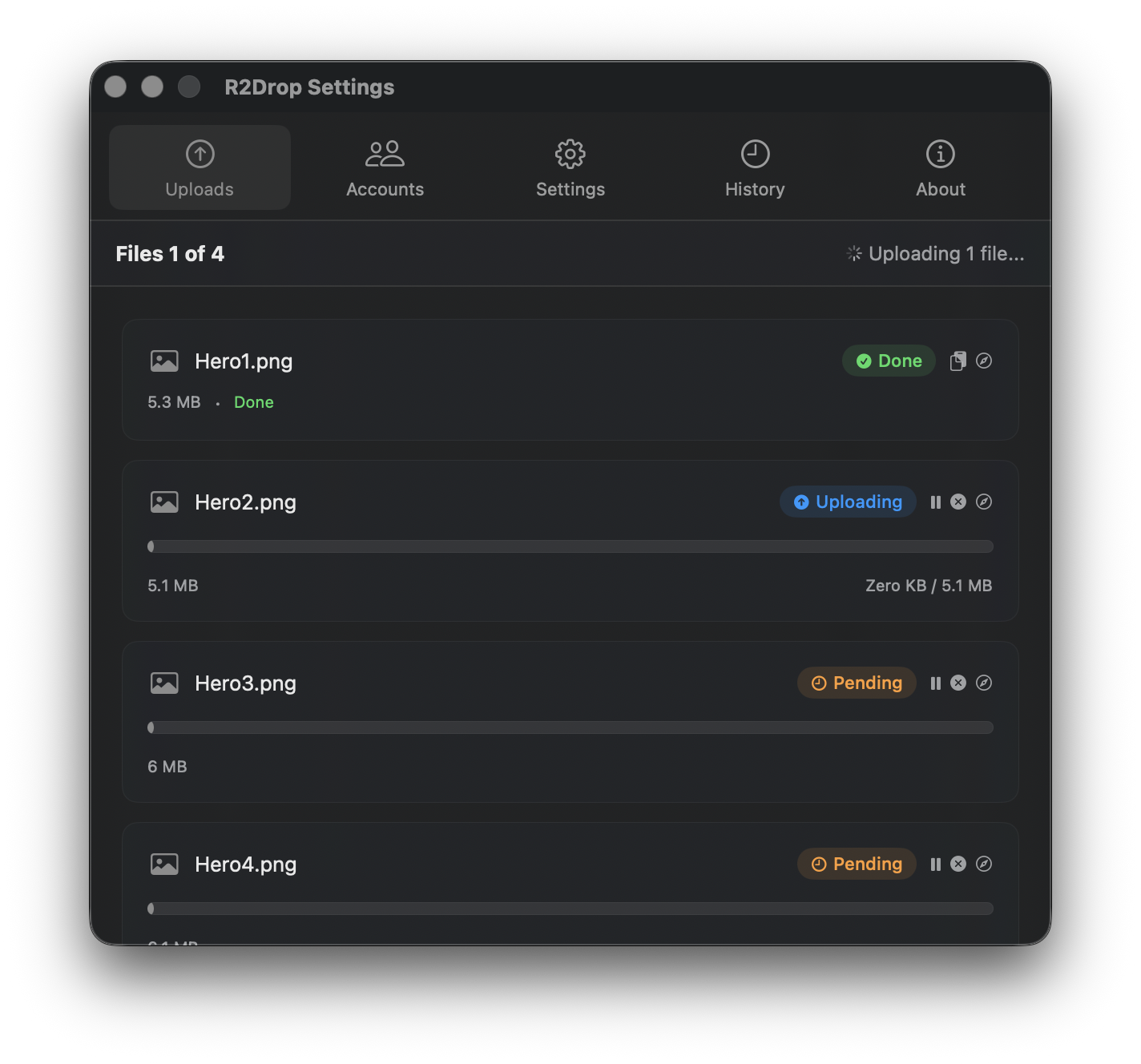
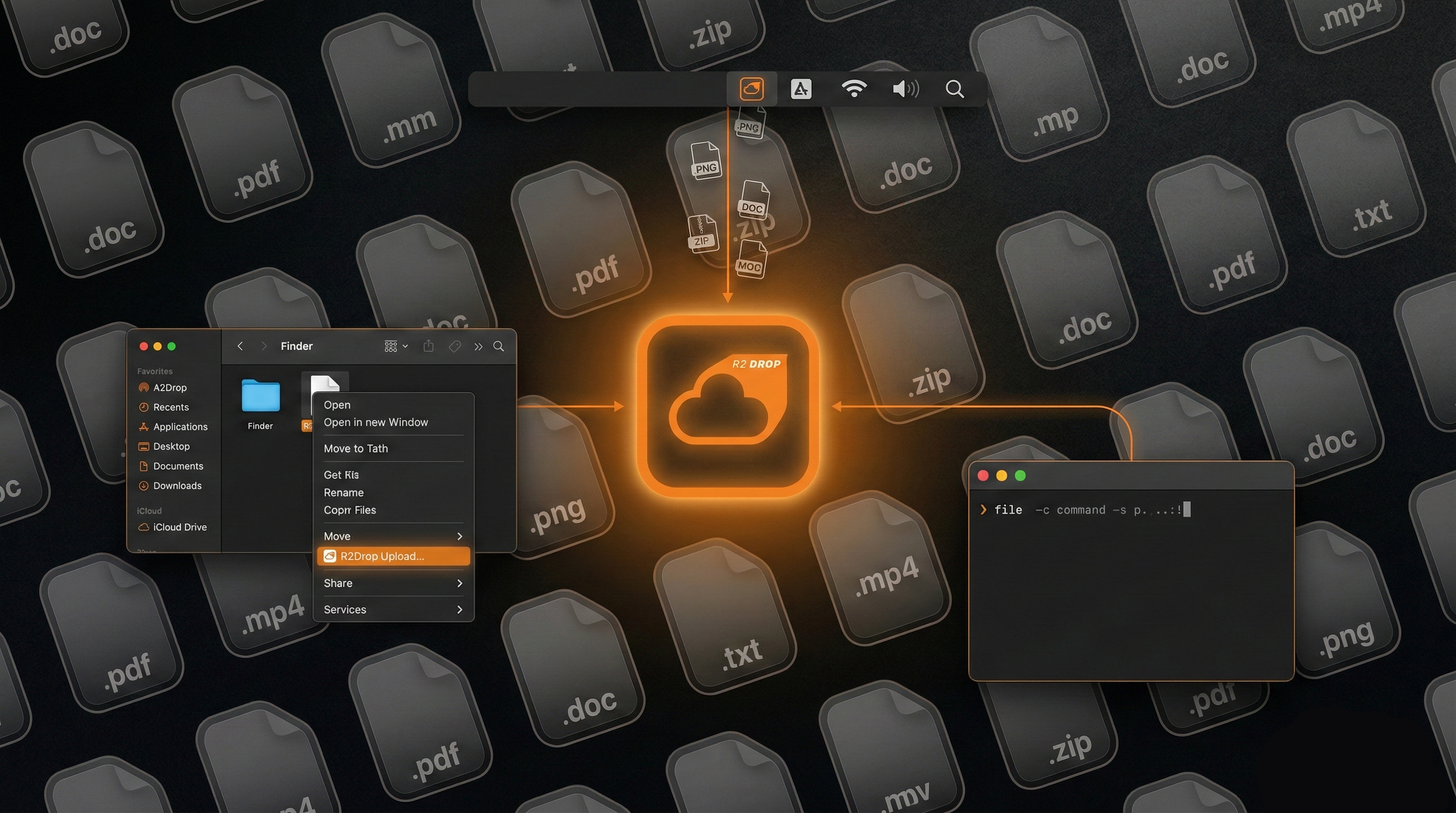
Saturday (12 hours): Core features. Rust upload engine with multipart support. SwiftUI menu bar app with settings and upload queue. Finder Sync Extension (this ate 3 hours). Keychain integration. TOML config file. Upload history with SQLite. By end of Saturday, I could right-click a file in Finder and have it upload to R2.
Sunday (10 hours): Polish and distribution. CLI binary. Code signing and notarization (3 painful hours). Sparkle auto-updates. GitHub Actions CI/CD. Marketing website. Homebrew formula. README. First public release on GitHub.
Total: roughly 26 hours of focused work across two days.
What I'd Tell Other Developers
AI-assisted development is not "tell the AI what to build and it builds it." That framing is misleading and sets people up for frustration. Here's what it actually is, at least for a project like this:
AI is a force multiplier for things you already understand. I know Swift. I know Rust. I know how macOS apps are structured. Claude accelerated the parts where I knew what I wanted but didn't want to type it all out. It did not replace the need to understand the architecture, debug the edge cases, or make design decisions.
AI is worst at platform-specific dark corners. Apple's signing infrastructure, Keychain behaviors, Finder extension quirks, Sparkle configuration — these are all areas with sparse, sometimes contradictory documentation. AI models trained on this data inherit the confusion. If you're building native macOS software, expect to spend real time in Apple's developer documentation and on StackOverflow for the last 20% of the work.
Task orchestration matters. The reason I could move this fast wasn't just Claude — it was having Ralph-TUI break the project into ordered, scoped tasks with clear deliverables. Without that structure, I would have wasted time context-switching between the upload engine, the UI, the FFI bridge, and the CI pipeline. AI works best when you give it a focused, well-defined task with clear inputs and outputs.
Ship the minimal thing. R2Drop v1 is upload-only. No browsing, no downloading, no sync. That constraint is what made a weekend build possible. Every feature you add is another surface area for AI to generate bugs in and for you to debug. Scope ruthlessly.
Try It
R2Drop is free and open source under the MIT license. You can download it from GitHub or install via Homebrew. If you use Cloudflare R2 and you're on a Mac, I think you'll find it useful. And if you want to see the code, it's all on GitHub.
For a step-by-step setup guide, see Getting Started with R2Drop. If you want terminal access, check out the R2Drop CLI guide.